
Last updated: September 11, 2026 | Edited by Lawrance
An app permission is a request for access to your device, not proof that the app is trustworthy. Compare each request with the task you are trying to complete, read the privacy explanation and decline access that is unrelated or unusually broad.
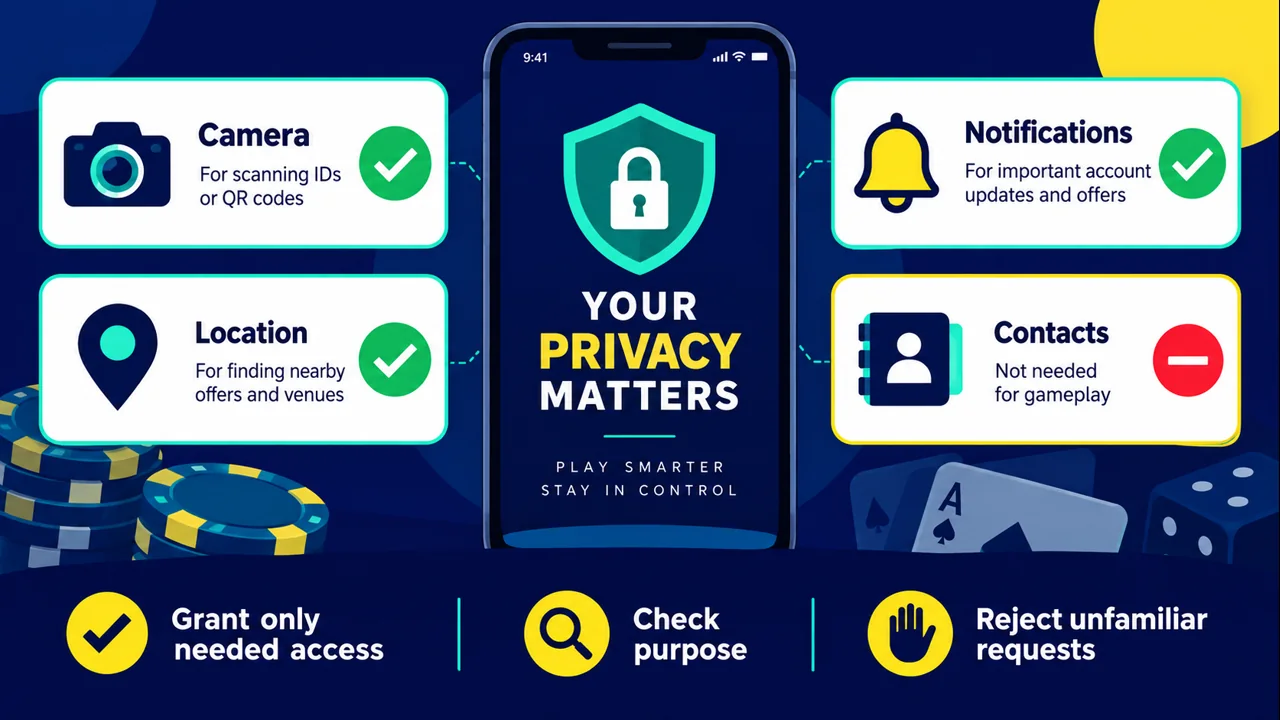
Match permission to purpose
A camera request may make sense for an identity scan inside a secure verification flow. Contacts access usually has no obvious connection to a casino account. Location and notifications can be optional, and their purpose should be explained.
Use the device settings to review permissions after installation. A permission that was accepted once can often be revoked without deleting the account.
| Permission | Possible account task | Second-look question |
|---|---|---|
| Camera | Document or face check | Is it inside the official secure flow? |
| Notifications | Account or transaction alerts | Can alerts be limited to useful events? |
| Location | Regional availability check | Why is continuous access needed? |
| Contacts | Usually not needed for play | Why would the app need my address book? |
Verify the app and publisher
Open the operator’s known website and follow its app link rather than searching for a similar name. Compare the publisher, domain, privacy policy and update history. Do not install an APK sent in a private message.
Our PAGCOR verification workflow is a useful domain check; the site’s Privacy Policy explains the project’s published data position.
- Known domain.
- Matching publisher.
- Current privacy policy.
- No request for payment or OTP to install.
Protect identity and payment data
Use the app’s secure account area for documents, and use the official provider help route for wallet questions. Never grant access to your contacts, messages or screen to a person claiming to be support.
If an app asks for a permission you cannot explain, deny it and use the web account instead. Keep screenshots of the request with sensitive details hidden.
- Deny unrelated access.
- Review permissions after updates.
- Remove an app you cannot verify.
Stop at a sideload or coercive prompt
If an app requires an unofficial download, remote-control permission or an unexplained payment to continue, stop. Review the Terms of Service and official responsible-gaming information. Method and limits: device settings reduce exposure but cannot certify an app or operator.
Gambling is for adults aged 21 and over and is not a source of income.
Related reading: cluster reference, supporting checklist, and responsible-use information.
Sources and method
- Source 1 — checked September 11, 2026.
- Source 2 — checked September 11, 2026.
- Source 3 — checked September 11, 2026.
Method and limits: this article is an evidence-first reading aid. Operator terms, provider status and table rules can change, so check the current official page immediately before acting. Gambling is for adults aged 21 and over and is not a source of income.